This back-to-school season, we’re introducing one of the biggest improvements ever to Pathways Assessment—a dedicated Student Dashboard.
For the first time, students have a personalized account to access their assessments. Instead of launching individual test sessions, students can now access all of their available work from a single, easy-to-use dashboard.
What’s New

- A personalized student dashboard for accessing assessments
- One place to access both classroom and benchmark assessments
- Clear assessment status so students know what’s ready to begin, in progress, or completed
- A simpler sign-in experience that supports persistent student accounts and single sign-on
- An intuitive interface designed to help students focus on testing—not navigating
- For teachers, a new feature to control visibility of assessments on the student dashboard

The new dashboard creates a more consistent experience for students while making it easier to find and launch assigned assessments. Whether completing a teacher-created classroom assessment or a district benchmark, students always know where to go.
This is an important step toward a more connected Pathways experience, bringing Assessment into the same modern platform used across Pathways Learning Studio.
Coming Soon
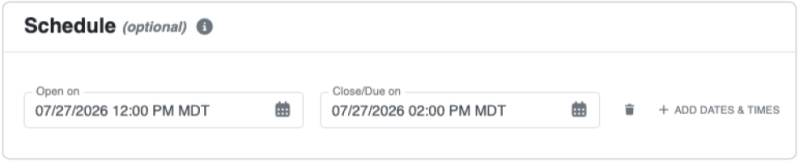
Teachers and administrators will also soon have the ability to set dates and times when assessments will automatically open and close.
We’re excited to introduce this new experience and help students start the school year with confidence. Welcome back, and here’s to a successful year of teaching, learning, and measuring student growth!


