

ScootPad is dedicated to helping teachers teach smarter, not harder! Enabling students to recall knowledge is an important aspect of the student journey as it highlights retention and ensures that students achieve mastery.
- First, Adaptive Placement and Adaptive Practice help REINFORCE the skills you are teaching.
- Next, automatic REMEDIATION detects and fills all knowledge gaps.
Let’s discuss two ways ScootPad helps students RECALL what they have been taught and are practicing.
Automatic Process: Mastery Checks
Practice makes perfect, and ScootPad makes this possible by strategically spacing mini-assessments throughout the adaptive learning experience. These quick checks for understanding are called “Mastery Checks.” Here are a few quick tips about the Mastery Check process:
- They are deployed AUTOMATICALLY within the learning path—teachers do not have to assign them.
- They are DELAYED practice sessions that allow students to RECALL knowledge from previously practiced concepts.
- As concepts are successfully passed in the session, their status changes to MASTERED.
- If the student is not successful in showing continued understanding of the concept, the concept is placed back into rotation and will be PRACTICED further.
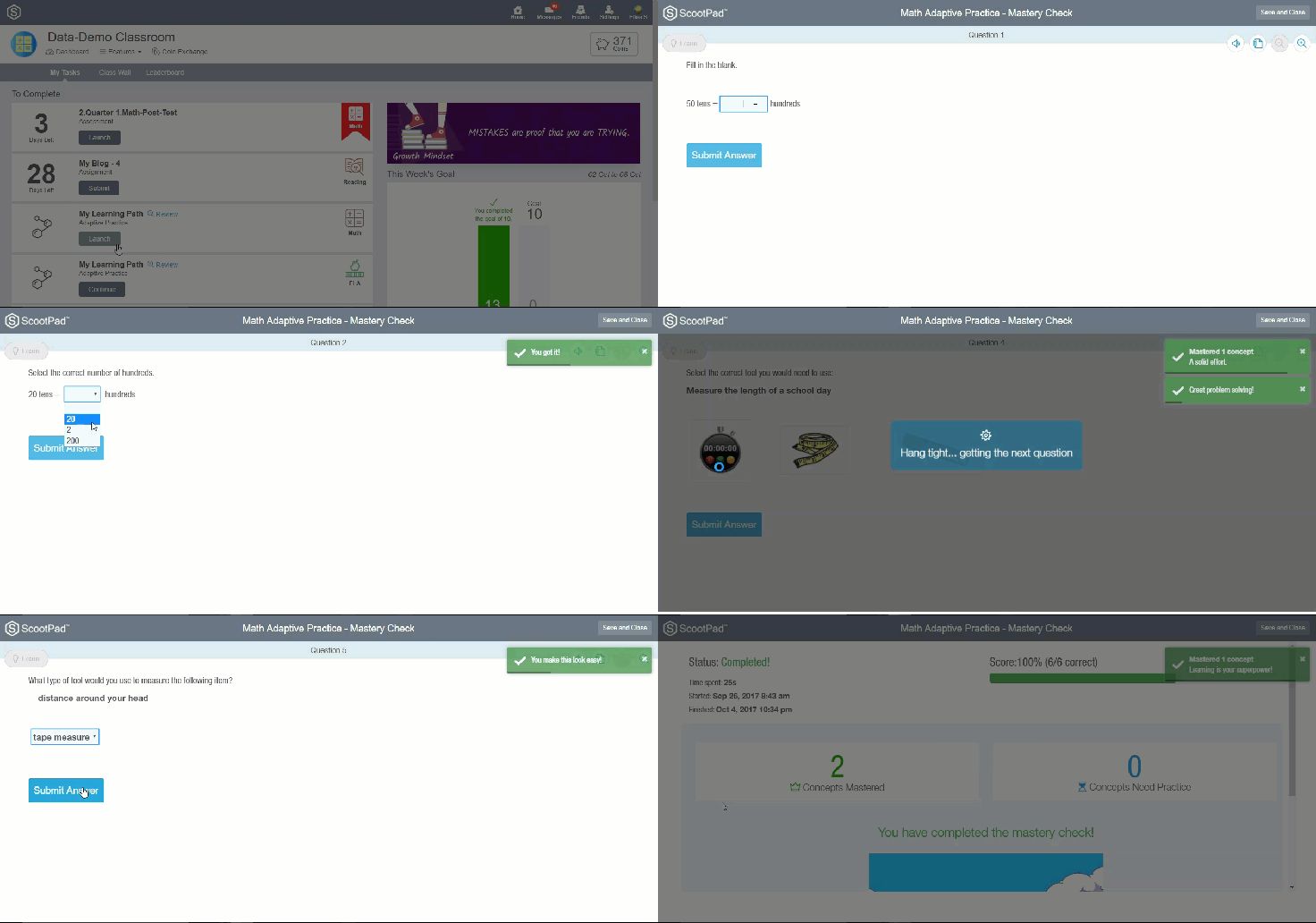
In summary, when students work through their learning paths, Mastery Checks provide an automatic method to help students recall what they have previously practiced. This helps save teachers time from having to create and assign assessments. The short video below shows a Mastery Check from a student’s perspective.
Manual Process: Teacher-Driven Assessments
On the other hand, teachers can assign one of ScootPad’s pre-built assessments or simply build their own to have students RECALL knowledge at a set time designed by the teacher. Assessments in ScootPad look identical to a practice session and have some unique characteristics. Here are a few quick tips:
- Assessments contain static (same) questions versus the dynamic (different) questions students see in practice content. This allows teachers to assign the same task to every student.
- Assessments can be assigned by the teacher at any time for a snapshot of student performance in the moment. This includes serving up your own “checks for mastery.”
- Assessment reports will plot student data points in three ways: for an individual student by standard, as a comparison between 2 assessments by student and standard, and in a grid.

In summary, teacher-driven assessments are controlled by the teacher, and the content is the same. This allows teachers to view growth over time and provide the same experience to every student.

Interested in learning more?
Ask your questions about Mastery Checks and Assessments by registering for ScootPad Office Hours! There is always more to learn, so don’t hesitate to explore or reach out to our support team by clicking the Help button and typing “Assessments” or “Mastery Check” in the search bar.
Cheers,
The ScootPad Team
at Learning Explorer


